Family calendar
Everyone's week, in one calendar.
School, swimming, soccer and the dentist, each person in their own colour, so anyone can see at a glance who needs to be where.
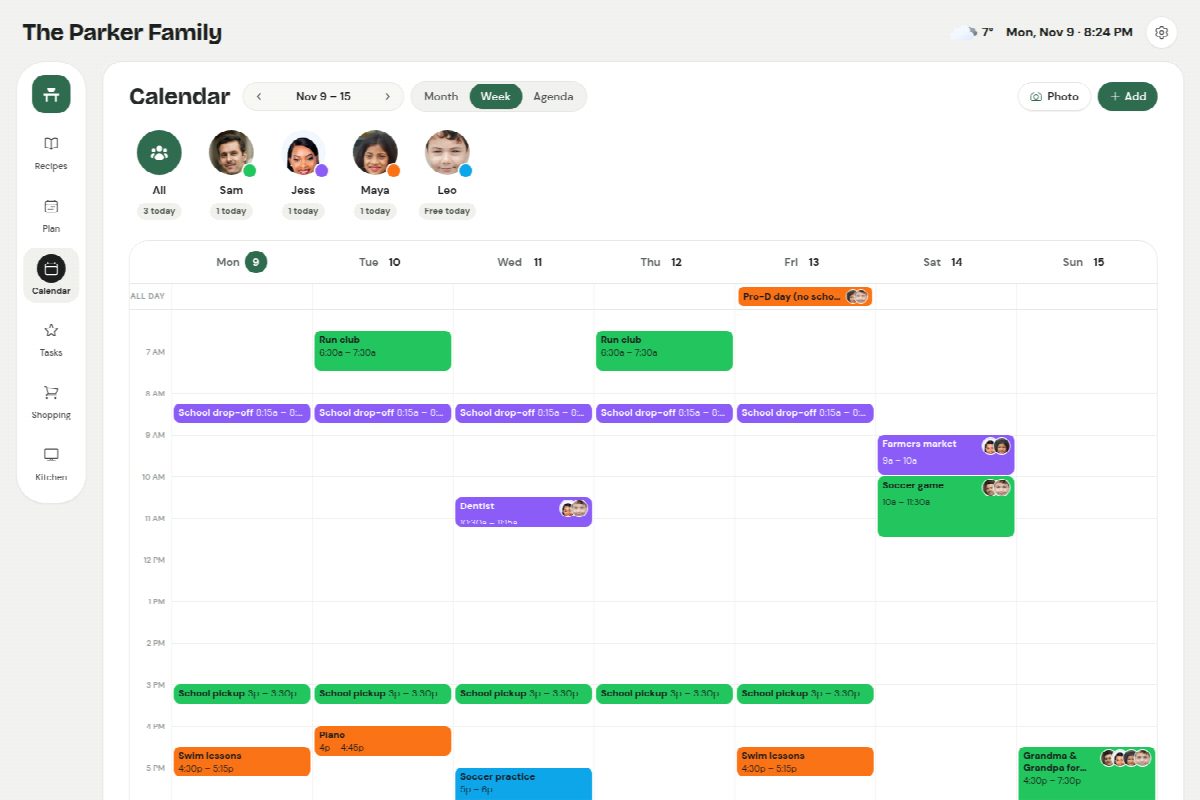
A colour for each person
Tap someone's face to see just their week, or everyone together, with a count of what each person has on today.
The calendars you already have
Follow a work calendar, the school's calendar or a sports team by its calendar link, and its events appear alongside the family's own.
Add it from a photo
Snap the school newsletter or a party invitation and the event is filled in for you to check and save.
On the wall, too
The week shows on a kitchen tablet, with dinner and today's plans side by side.
How it works
- 1 Add the family and give everyone a colour.
- 2 Follow the calendars you already use and add the rest.
- 3 See the week on every phone and on the kitchen screen.
Questions
Does it work with Google or Outlook calendars?
Yes. Follow any calendar that has an iCal (.ics) link, which Google Calendar, Outlook and most school and team sites give you, and it refreshes every 15 minutes. The meal plan and family events can go the other way too, as a link for your own calendar app or a wall display you already have.
Do I need a special screen?
No. Any tablet can be the kitchen screen, paired with a six-digit code. There's nothing to buy.
Can the kids see it?
Yes. Kids don't need a login: they see the family calendar, their routines and the meal plan on the kitchen screen.
Recipes, meals, lists, calendar and routines, together.
One price for the whole household, on the phones and tablets you already have.